I Left i3wm.
No Regrets.
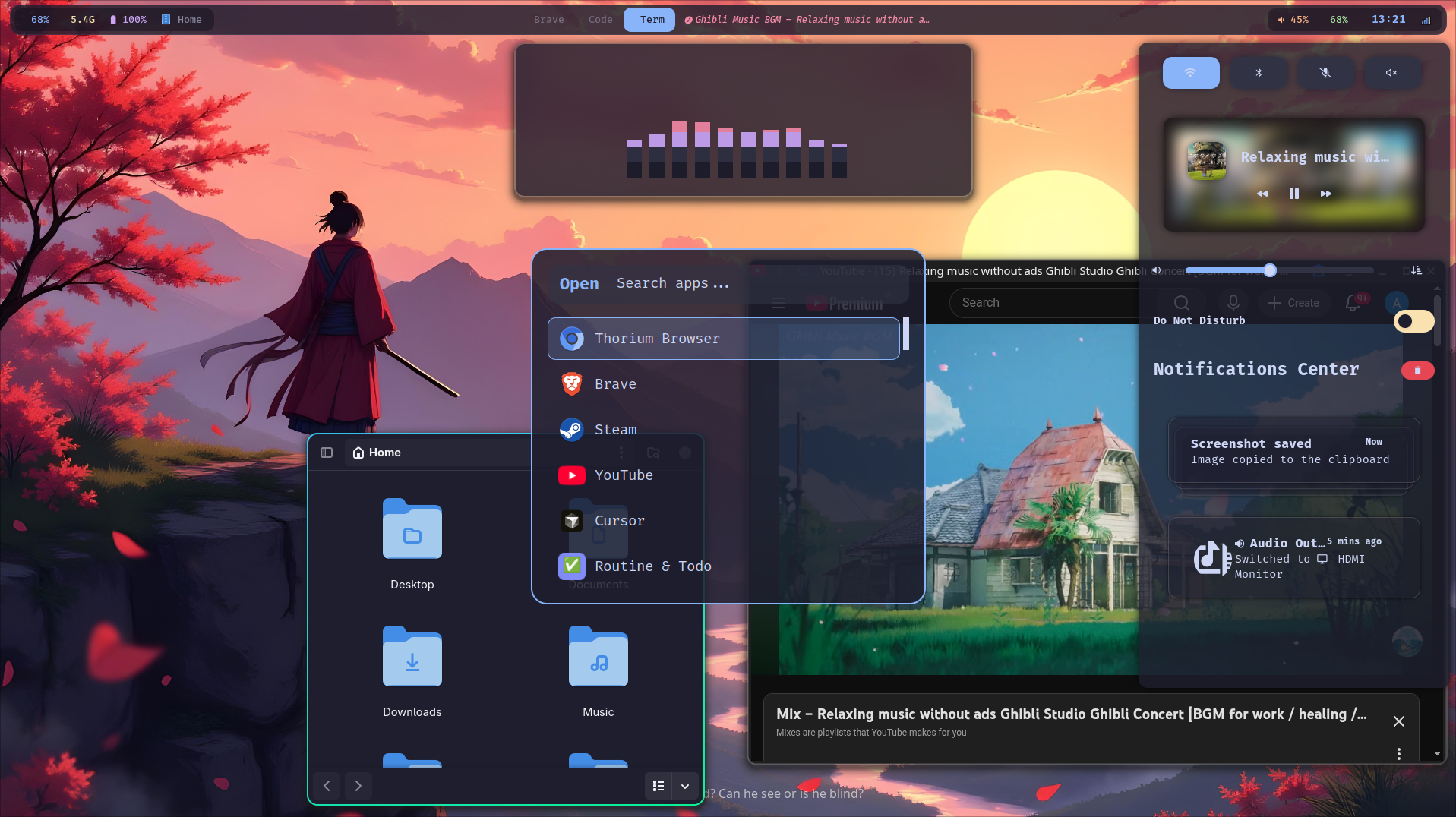
Two weeks building Andromeda — a full Hyprland rice with floating pill bar, workspace overview, clipboard history, idle management, and one-script install. Here's everything, including what broke.
Why I Jumped
My old rice — archrice — was i3wm on X11. It was fast, muscle-memory-perfect, and entirely mine. I had no real reason to move. Then I saw ViegPhunt's dotfiles.
That blur. Those rounded corners. The way the notification center slid open like a UI concept that wasn't supposed to run on a real machine. I sat with my perfectly functional i3 setup and felt something I hadn't expected: envy.
So I switched. Two weeks of hyprctl reload and more journalctl -xe than I'd like to admit later — here's the result. Andromeda.
This isn't the "here's pretty screenshots, good luck" version. This is the real one — what I built, why I picked each tool, and the debugging I wish I'd skipped. If you're migrating from i3, you'll feel at home faster than you expect.
All configs, scripts, and install automation: github.com/anuragdevon/devon-rice. Clone it, run one script, done.
Full Stack
| Role | Tool |
|---|---|
| Window manager | Hyprland 0.54.3 |
| Terminal | Ghostty |
| Shell | Zsh + Starship |
| Editor | Neovim |
| File manager (GUI) | Nautilus (GTK4, Catppuccin) updated |
| File manager (TUI) | Yazi |
| Browser | Brave / Thorium |
| Status bar | Waybar — floating pill updated |
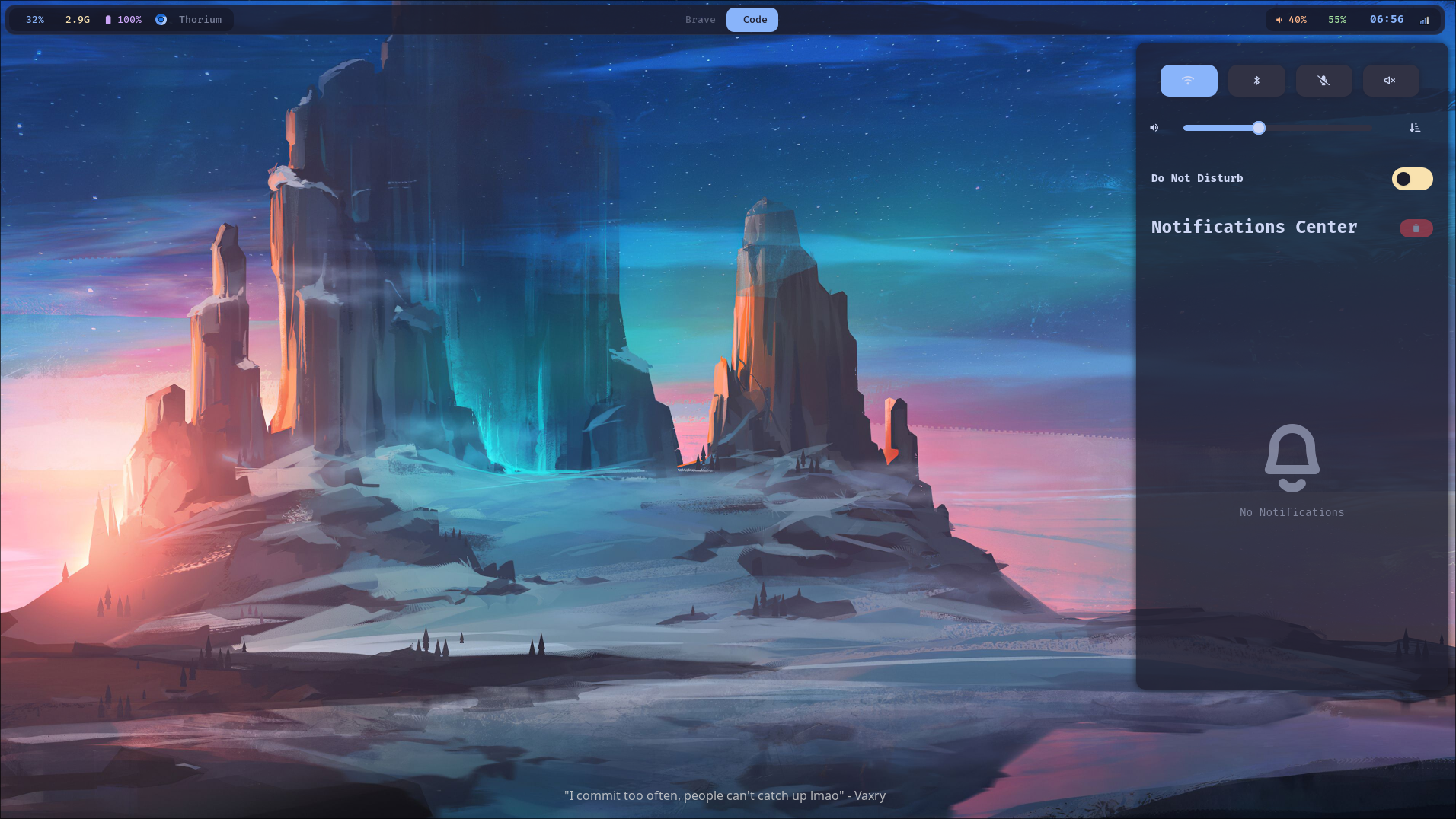
| Notifications | Swaync |
| Lock screen | Hyprlock |
| Idle daemon | Hypridle new |
| Wallpaper | Hyprpaper + random picker new |
| Screenshot | Hyprshot new |
| Workspace overview | Hyprexpo plugin new |
| Clipboard | Cliphist + wl-clipboard new |
| Audio toggle | Dynamic Rofi sink picker updated |
| Monitor toggle | toggle-monitor.sh new |
| Font (terminal/UI) | FiraCode Nerd Font |
| Font (browser/GTK) | Noto Sans via fontconfig new |
| Icons / Cursor | Papirus-Dark / Bibata Modern Classic |
| Color scheme | Catppuccin Mocha |
| Login manager | SDDM catppuccin-mocha-blue |
Hardware
Vega 3 is integrated. Blur passes are capped at 3. Go higher and you will feel every frame drop.
Quick Start
# 1. Install everything
yay -S hyprland ghostty waybar rofi-wayland swaync wlogout hyprlock hyprpaper \
       hypridle cava starship zsh-autosuggestions zsh-syntax-highlighting \
       ttf-firacode-nerd papirus-icon-theme bibata-cursor-theme noto-fonts noto-fonts-emoji \
       gnome-keyring libsecret neovim nautilus \
       catppuccin-gtk-theme-mocha kvantum qt6ct \
       cliphist wl-clipboard playerctl hyprshot \
       socat jq brightnessctl \
       bluez bluez-utils bluetuith sddm

# 2. Clone the dotfiles
git clone https://github.com/anuragdevon/devon-rice ~/devon-rice

# 3. Wire up symlinks (backs up your existing configs first)
cd ~/devon-rice && bash install.sh

# 4. Symlink GTK4 CSS for Nautilus (settings.ini alone won't work for GTK4)
ln -sf /usr/share/themes/catppuccin-mocha-blue-standard+default/gtk-4.0/gtk.css \
        ~/.config/gtk-4.0/gtk.css
ln -sf /usr/share/themes/catppuccin-mocha-blue-standard+default/gtk-4.0/gtk-dark.css \
        ~/.config/gtk-4.0/gtk-dark.css

# 5. Hyprexpo workspace overview plugin
hyprpm add https://github.com/hyprwm/hyprland-plugins
hyprpm enable hyprexpo

# 6. Update wallpaper paths — hyprpaper ignores ~/
nvim configs/hyprpaper/hyprpaper.conf
nvim configs/hypr/set-wallpaper.sh

# 7. Reload
hyprctl reload
install.sh creates symlinks, not copies. Edit any config from anywhere — terminal, Neovim, Nautilus — and you're editing the repo file directly. git commit && git push whenever you want a checkpoint.
Step-by-Step Walkthrough
1. Base System
Fresh Arch install via archinstall. Get yay first:
sudo pacman -S --needed git base-devel
git clone https://aur.archlinux.org/yay.git && cd yay && makepkg -si
2. Hyprland + Core
yay -S hyprland ghostty waybar rofi-wayland swaync wlogout \
       hyprlock hypridle hyprpaper cava wl-clipboard nm-applet playerctl
3. Fonts, Icons, Cursor
yay -S ttf-firacode-nerd papirus-icon-theme bibata-cursor-theme noto-fonts noto-fonts-emoji
fc-cache -fv
4. Shell
HISTFILE=~/.zsh_history
HISTSIZE=10000
SAVEHIST=10000
setopt APPEND_HISTORY SHARE_HISTORY HIST_IGNORE_DUPS HIST_IGNORE_SPACE

source /usr/share/zsh/plugins/zsh-autosuggestions/zsh-autosuggestions.zsh
source /usr/share/zsh/plugins/zsh-syntax-highlighting/zsh-syntax-highlighting.zsh
eval "$(starship init zsh)"
Monitor Setup
# Laptop — 15", HiDPI needs 1.5x for comfortable reading
monitor = eDP-1, 1920x1080@60, 0x0, 1.5

# External — 21", no scaling
# Offset = 1920 ÷ 1.5 = 1280 LOGICAL px (NOT 1920px)
monitor = HDMI-A-1, 1920x1080@60, 1280x0, 1.0

xwayland {
    force_zero_scaling = true  # fixes blurry XWayland apps on external monitor
}
env = GDK_SCALE, 1
env = XDG_SESSION_TYPE, wayland
Hyprland uses logical pixels for monitor positioning, not physical ones. At 1.5x scale the laptop's logical width is 1280px — not 1920px. Put the external at 1920x0 and you get a 640px invisible dead zone where your mouse just disappears. I spent an evening convinced I had a compositor bug. I did not.
Delete the HDMI-A-1 monitor line and the monitor focus/move keybinds. Everything else applies exactly the same.
Animations & Window Polish
The defaults are serviceable. These are better. Custom bezier curves inspired by Material Design 3 — much more expressive motion:
bezier = emphasizedDecel, 0.05, 0.7, 0.1, 1.0
bezier = menu_decel,      0.1,  1,   0.0, 1.0

animation = windowsIn,  1, 3, emphasizedDecel, popin 80%
animation = windowsOut, 1, 2, quick,           popin 90%
animation = workspaces, 1, 7, menu_decel,      slide
decoration {
    rounding = 12
    dim_inactive = true    # unfocused windows darken slightly
    dim_strength = 0.07   # subtle — makes active window pop

    shadow {
        range = 20
        color = rgba(1a1a1a99)
        offset = 0 4
    }

    blur {
        enabled = true
        size = 6
        passes = 3         # HARD MAX on Vega 3
        vibrancy = 0.1696
    }
}

general {
    gaps_in = 5; gaps_out = 20; border_size = 2
    col.active_border   = rgba(33ccffee) rgba(00ff99ee) 45deg
    col.inactive_border = rgba(595959aa)

    snap { enabled = true; window_gap = 8; monitor_gap = 8 }
}
dim_inactive is the feature I didn't know I needed. Focus is visually obvious at a glance without any aggressive highlighting.
Keybindings
All i3-style. Coming from i3, your muscle memory settles in within 20 minutes.
Plus Super+Shift+hjkl to move windows, Super+Ctrl+hjkl to resize, and Super+,/. to focus monitors.
Components
Waybar — Floating Pill Bar


Waybar on both displays with the floating pill layout.
Floats 10px above the top edge with margins on both sides — three sections: CPU · RAM · Battery · active window title on the left, workspace pills center (blue when active), media · volume · network · clock right.
{
    "layer":        "top",
    "height":       40,
    "margin-top":   10,
    "margin-left":  14,
    "margin-right": 14,
    "modules-left":   ["cpu", "memory", "battery", "hyprland/window"],
    "modules-center": ["hyprland/workspaces"],
    "modules-right":  ["custom/media", "pulseaudio", "network", "clock", "tray"]
}window#waybar { background: rgba(30, 30, 46, 0.82); border-radius: 14px; border: 1px solid rgba(137, 180, 250, 0.10); }
Old ~/.config/waybar/config file from a previous setup? Waybar loads it before config.jsonc, silently ignoring your new config. Nothing works, no error. Fix: rm ~/.config/waybar/config.
Screenshot — Hyprshot, Not grim+slurp
# Region → clipboard (most used — drag to select)
bind = $mainMod SHIFT, S, exec, hyprshot -m region --clipboard-only
# Active window → clipboard
bind = , Print,            exec, hyprshot -m window -m active --clipboard-only
# Full monitor → clipboard
bind = $mainMod, Print,    exec, hyprshot -m output --clipboard-only
# Region → save file
bind = $mainMod CTRL, S,   exec, hyprshot -m region -o ~/Pictures/Screenshots/
# Active window → save file
bind = SHIFT, Print,       exec, hyprshot -m window -m active -o ~/Pictures/Screenshots/
# Full monitor → save file
bind = CTRL, Print,        exec, hyprshot -m output -o ~/Pictures/Screenshots/
grim -g "$(slurp)" - | wl-copy grabs input before the compositor releases it. Windows stop responding — workspaces freeze — until you click something. You'll think your rice is broken. Switch to Hyprshot, which handles the Wayland input grab correctly.
Workspace Overview — Hyprexpo
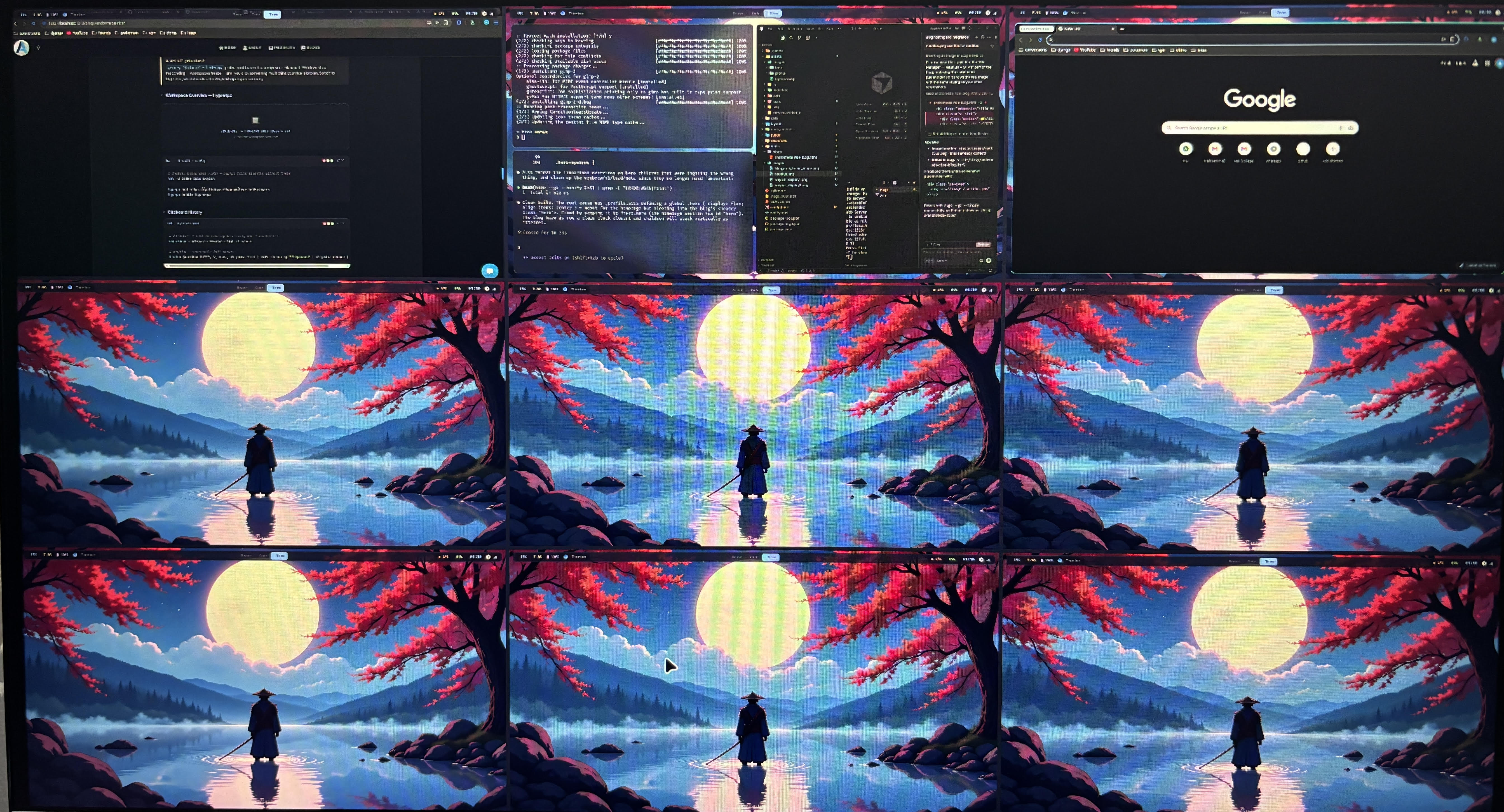
# Install build deps FIRST — hyprpm fails silently without these
yay -S cmake cpio pkgconf

hyprpm add https://github.com/hyprwm/hyprland-plugins
hyprpm enable hyprexpo
Clipboard History
# Autostart — must be running or history won't accumulate
exec-once = wl-paste --watch cliphist store

# Keybind — searchable Rofi picker
bind = $mainMod SHIFT, V, exec, cliphist list | rofi -dmenu -p "Clipboard" | cliphist decode | wl-copy
Audio Sink Picker (Dynamic — No Hardcoded MACs)
The old toggle script had a hardcoded Bluetooth MAC. Every new device broke it. The new version uses pactl list sinks to discover all outputs dynamically and presents them in Rofi. Select any device, all active streams follow automatically.
HDMI Monitor USB Headset Bluetooth Headphones ✓ current
File Manager — Nautilus + GTK4
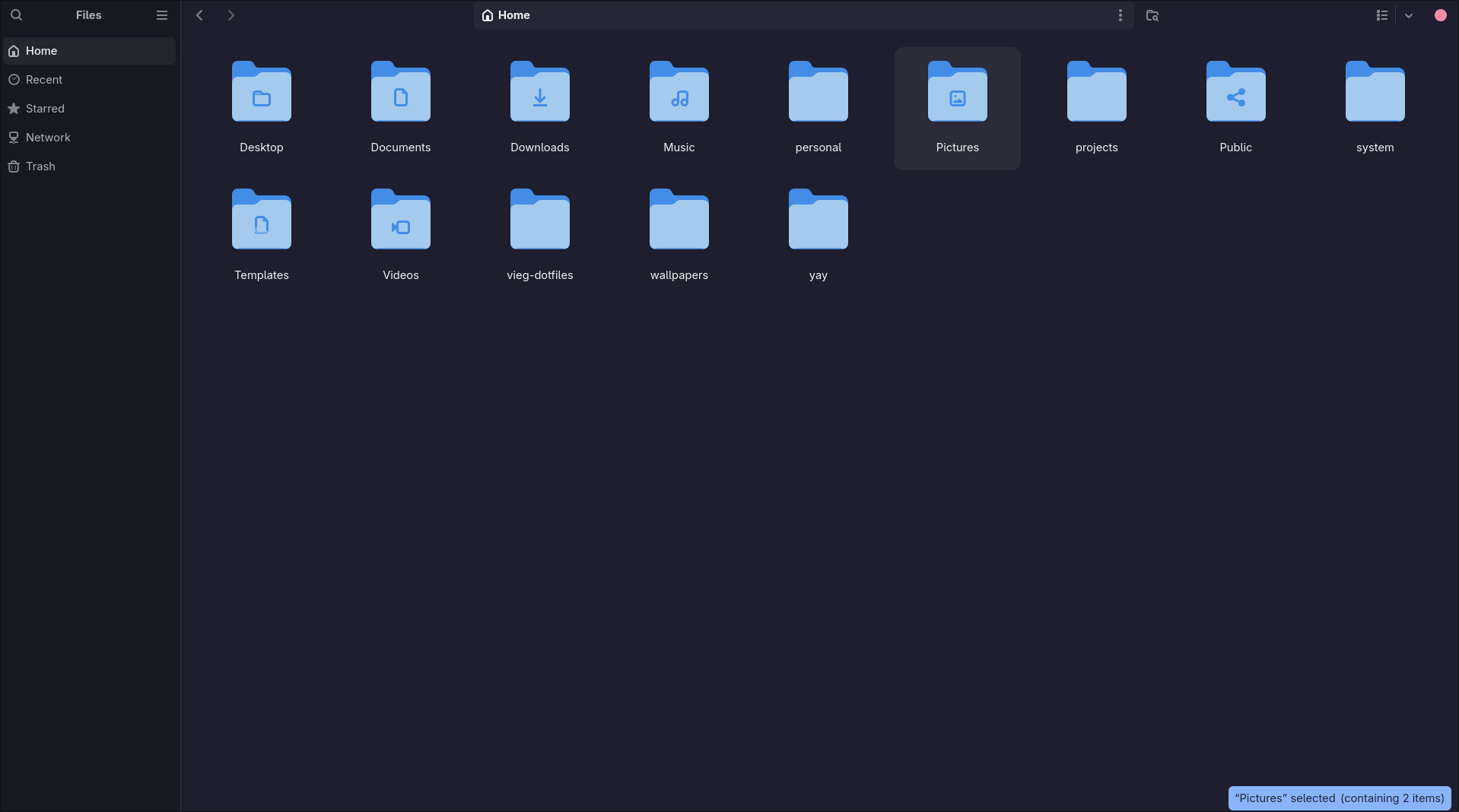
settings.ini alone does nothing for GTK4 apps. You must symlink the CSS directly into ~/.config/gtk-4.0/gtk.css. Skip this and Nautilus looks completely default, regardless of what settings.ini says.
Calculator — Python via Rofi
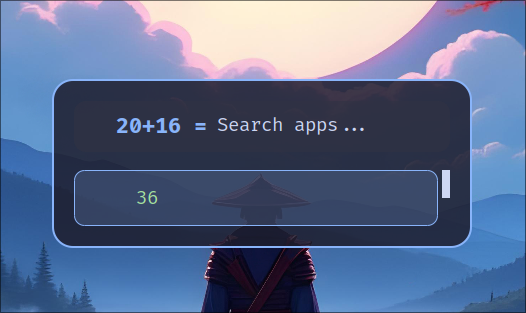
rofi-calc needs the X11 build. The Wayland fork strips plugin support entirely and fails silently. Replaced with a 15-line bash script using Python's math module:
#!/bin/bash
expr=$(rofi -dmenu -p "  " -l 0 -theme-str 'window {width: 420px;}')
[ -z "$expr" ] && exit

result=$(python3 -c "from math import *; print($expr)" 2>/dev/null || echo "Error")

selected=$(echo "$result" | rofi -dmenu -p "  $expr =" -l 1 \
    -theme-str 'window {width: 420px;}' \
    -theme-str 'element-text {text-color: #a6e3a1;}')

[ -n "$selected" ] && echo -n "$selected" | wl-copy
Hyprlock — Lock Screen
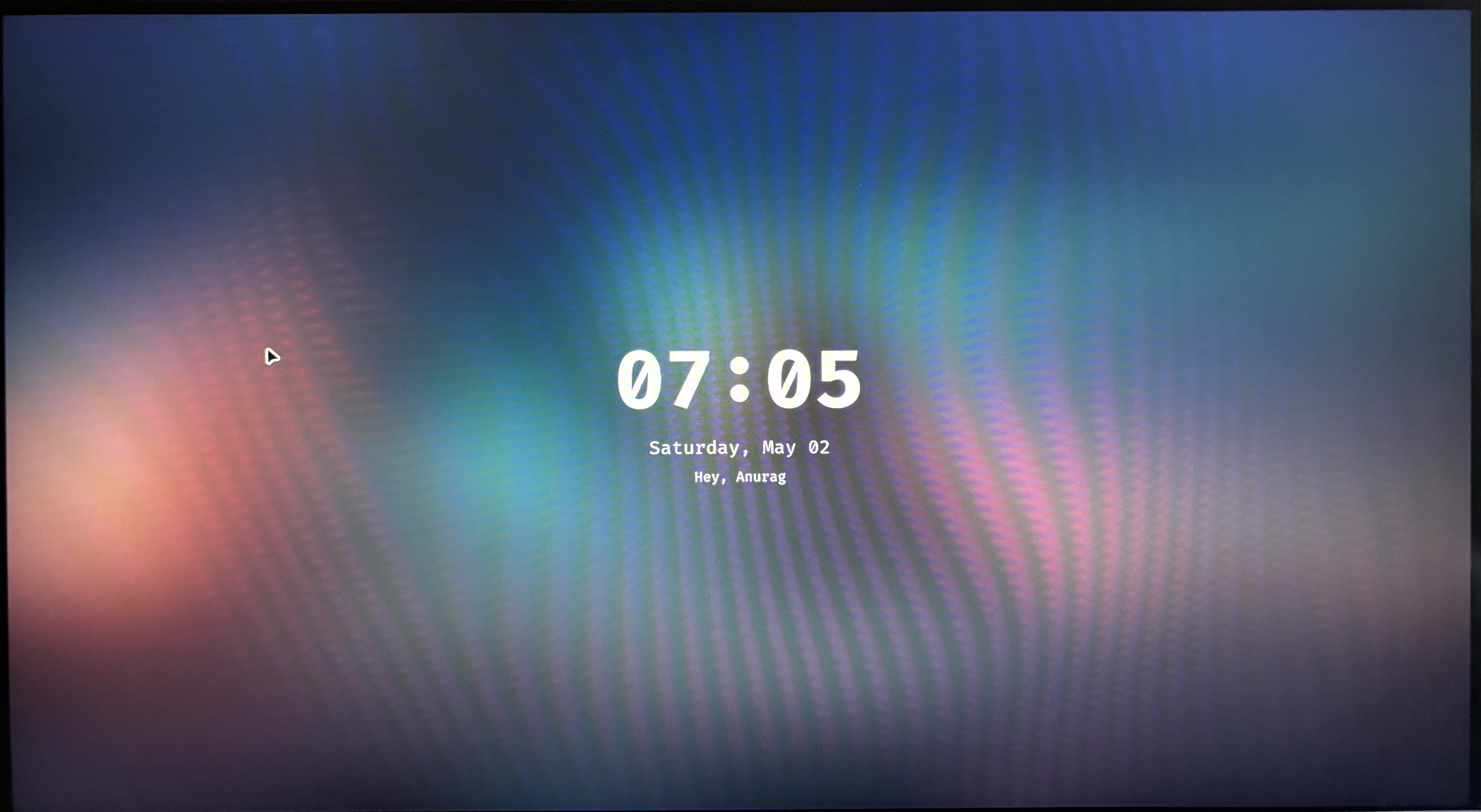
background {
    path = /home/anurag/wallpapers/1.jpg  # absolute path — no ~/
    blur_passes = 4; blur_size = 8; brightness = 0.4
}
label {
    text = cmd[update:1000] echo "<b>$(date +"%H:%M")</b>"
    font_size = 80; font_family = FiraCode Nerd Font Bold
    position = 0, 40; halign = center; valign = center
}
input-field {
    size = 300, 52
    outer_color = rgb(89b4fa); inner_color = rgb(1e1e2e)
    rounding = 12; position = 0, -190
    halign = center; valign = center
}
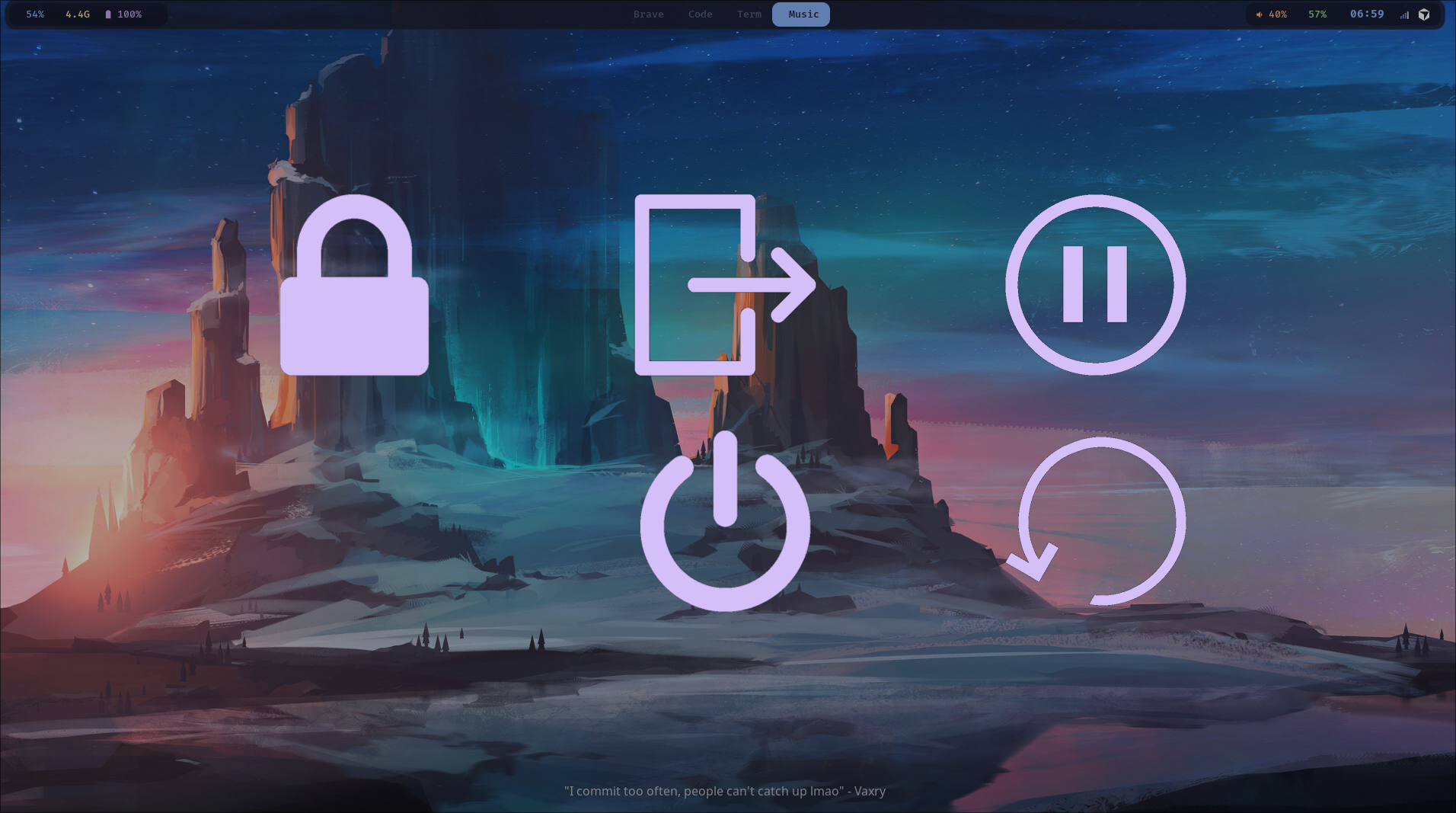
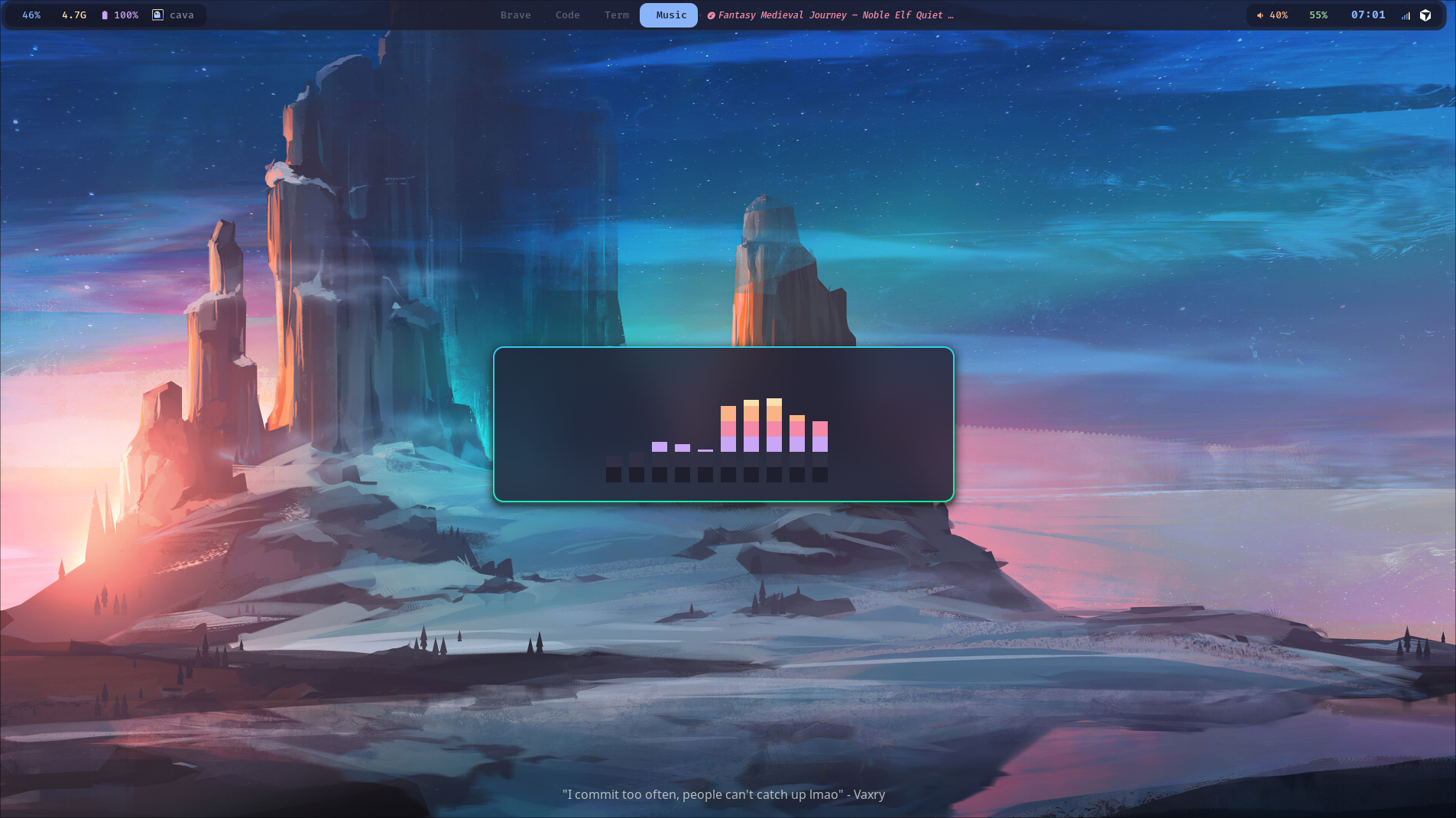
Swaync · Wlogout · Cava · SDDM
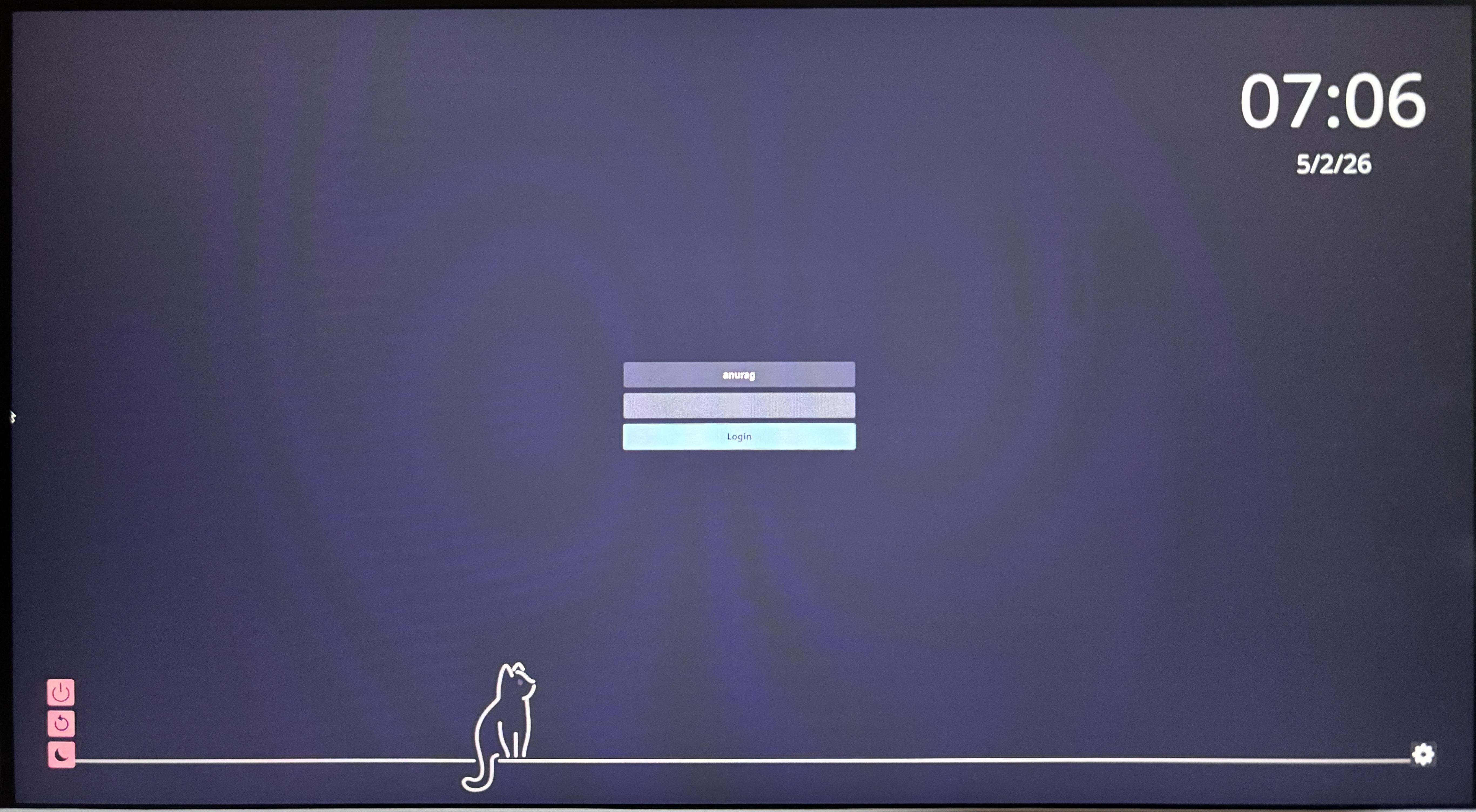
Idle Management + Wallpaper
Hypridle — Auto Dim → Lock → Suspend
general {
    lock_cmd         = pidof hyprlock || hyprlock
    before_sleep_cmd = loginctl lock-session
    after_sleep_cmd  = hyprctl dispatch dpms on
}

# 2.5 min → dim screen
listener { timeout = 150;  on-timeout = brightnessctl -s set 20%; on-resume = brightnessctl -r }
# 5 min → lock
listener { timeout = 300;  on-timeout = loginctl lock-session }
# 5.5 min → display off
listener { timeout = 330;  on-timeout = hyprctl dispatch dpms off; on-resume = hyprctl dispatch dpms on }
# 30 min → suspend
listener { timeout = 1800; on-timeout = systemctl suspend }
Random Wallpaper Picker
Drop images in ~/wallpapers/. On boot, a random one is picked and applied to both monitors. Super+Shift+W re-rolls it live without reloading Hyprland.
WALLPAPER_DIR="/home/anurag/wallpapers"
[ "$1" = "--startup" ] && sleep 3  # wait for Wayland socket to be ready

wall=$(find "$WALLPAPER_DIR" -type f \
    \( -iname "*.jpg" -o -iname "*.jpeg" -o -iname "*.png" -o -iname "*.webp" \) \
    | shuf -n 1)

hyprctl hyprpaper preload "$wall"
hyprctl hyprpaper wallpaper "eDP-1,$wall"
hyprctl hyprpaper wallpaper "HDMI-A-1,$wall"
Hyprpaper does not expand ~/. The script uses full absolute paths — /home/anurag/... always. Never ~/.... This one took hours to figure out from useless error output.
Monitor Toggle
HDMI="HDMI-A-1"
status=$(hyprctl monitors | grep -c "$HDMI")

if [ "$status" -gt 0 ]; then
    hyprctl keyword monitor "$HDMI,disabled"
    notify-send "Monitor" "Switched to laptop only"
else
    hyprctl keyword monitor "$HDMI,1920x1080@60,1280x0,1.0"
    notify-send "Monitor" "Dual monitor enabled"
fi
Colors + Fonts
One Color File, Everything in Sync
Waybar, Swaync, Wlogout, Rofi — all import from a single shared file. Change one hex, every component updates.
@define-color background #1e1e2e;
@define-color foreground #cdd6f4;
@define-color blue       #89b4fa;  /* primary accent */
@define-color pink       #f38ba8;
@define-color green      #a6e3a1;
@define-color yellow     #f9e2af;
@define-color orange     #fab387;
@define-color purple     #cba6f7;
@define-color gray       #313244;
@define-color surface    #181825;
Two Fonts, One Job Each
FiraCode Nerd Font for terminal and UI. Noto Sans for browsers and GTK apps. FiraCode looks great in a terminal at 12px. It does not look great in browser tabs at 11px.
<alias>
    <family>sans-serif</family>
    <prefer><family>Noto Sans</family></prefer>
</alias>
<alias>
    <family>monospace</family>
    <prefer><family>FiraCode Nerd Font</family></prefer>
</alias>
The Gotchas
These cost me real time. Read before you start.
~//home/username/. The wallpaper silently doesn't load and the error messages give you nothing useful. Hours lost.rofi-calc needs the X11 build. The Wayland fork drops it and fails silently. The Python bash script replacement is genuinely better.1920x0 = 640px dead zone. Use 1280x0. Hyprland uses logical pixels for positioning.grim -g "$(slurp)" - | wl-copy grabs input before the compositor releases it. Windows stop responding until you click. Use Hyprshot — it handles the input grab correctly.waybar & in a terminal ties the process to that shell session. Always launch via exec-once in hyprland.conf only.yay -S cmake cpio pkgconf before hyprpm update. Skip them and hyprpm fails silently with no useful error about what's missing.settings.ini alone does nothing for GTK4. Symlink the CSS directly into ~/.config/gtk-4.0/gtk.css. Nautilus looks completely default otherwise.exec-once = wl-paste --watch cliphist store in autostart. Without it the clipboard picker opens empty every single time.config shadows config.jsoncconfig file from a previous setup? Waybar loads it first and silently ignores your new config.jsonc. Nothing works. No error. rm ~/.config/waybar/config.exec-once = gnome-keyring-daemon --start --components=secrets,pkcs11 to autostart.Was It Worth It?
Yes. Completely.
i3 was great. If it's working for you on X11, there's no urgency to move. But Hyprland gives you everything i3 gave you plus things that simply aren't possible on X11: real compositor blur, smooth animations that feel native, per-monitor fractional scaling that actually works, and a genuinely active development community pushing the project forward fast.
The two weeks debugging were time well spent. I understand the Wayland stack better now than I did going in, and the setup I landed on is exactly what I wanted.
Clone It. Break It. Make It Yours.
Every config, script, and install automation in one repo. Star it if it helped — drop a comment if you've hit a gotcha I missed.
What's your setup? Still on i3, or have you made the jump? 👇